Daily Anxiety · Support

How can we
help you?

Answers to common questions about Daily Anxiety: Calm & Breathe for iPhone and iPad. If you need anything else, email us and a real person will reply.
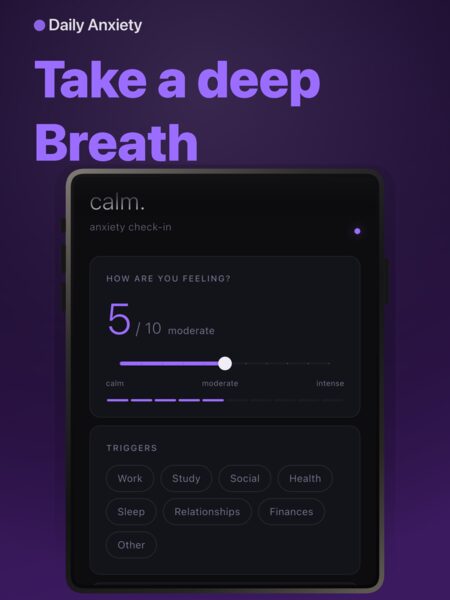
Check-in screen: anxiety rated 5 out of 10 with a slider, and trigger tags such as Work, Study and Sleep.
Daily check-in
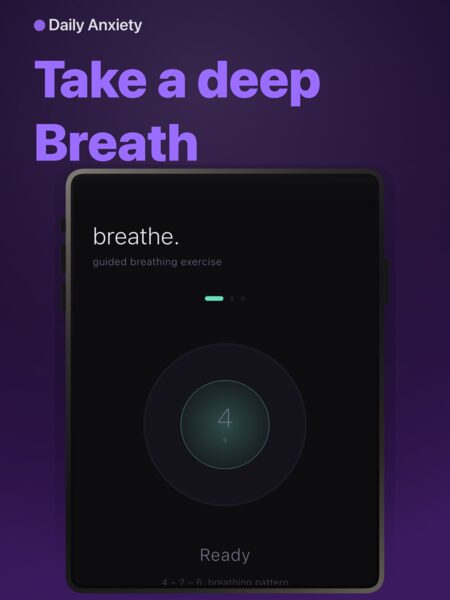
Guided breathing screen with a circular timer counting the 4–2–6 pattern.
Guided breathing
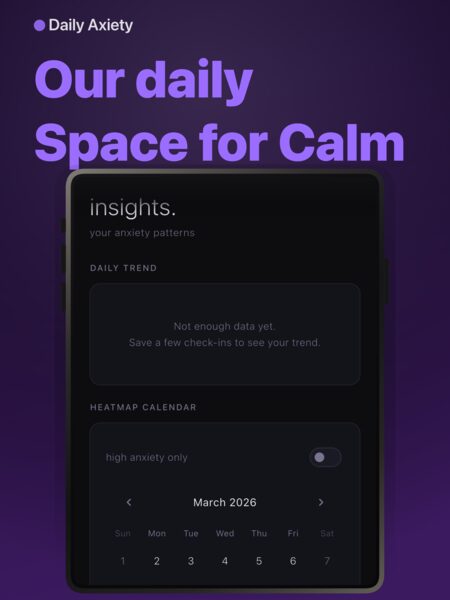
Insights screen with the daily trend chart and the heatmap calendar.
Insights

What's inside

Everything the app does

FAQ

Frequently asked questions

No. All your check-ins, mood scores, and settings are stored locally on your device. There are no servers and no accounts, and the app doesn't send your data anywhere. Your data never leaves your iPhone or iPad.

Deleting the app permanently removes all of its data from your device — check-ins, history, and settings. Data included in an earlier iCloud or Finder backup of your device can be restored by restoring that backup.

Your data is included in your regular device backup (iCloud or Finder). If you restore your device from a backup, your Daily Anxiety data comes back with it. A manual export option is planned for a future update.

The guided exercise follows a 4–2–6 pattern: inhale for 4 seconds, hold for 2, exhale for 6. Slow breathing with a longer exhale can help your body settle during moments of anxiety. Open the Breathe screen, tap Ready, and follow the on-screen timer.

Trigger tags (Work, Study, Social, Health, Sleep, Relationships, Finances, Other) let you label what may have contributed to your anxiety during a check-in. Over time, patterns in your tags can help you spot your personal triggers.

The Heatmap Calendar and Daily Trend chart fill in once you have saved a few check-ins. Complete a check-in from the main screen, then return to Insights to see your data appear.

No. Daily Anxiety is a personal wellness tool that helps you notice your anxiety patterns and practise simple relaxation techniques. It is not a medical device and is not a substitute for professional care. If you are experiencing significant anxiety or distress, please talk to a qualified healthcare professional.

No account is required and there are no subscriptions. Download the app, open it, and start using it right away.

First, force-quit the app and reopen it. If the problem persists, make sure you have the latest version from the App Store. If it still doesn't work, email us and describe what happened, along with your iPhone/iPad model and iOS version.

We'd love to hear from you. Send your ideas or feedback by email — requests from real users directly shape the app's roadmap.

Get in touch

We're here to help

Response time: We typically reply within 24–48 hours on business days.